Network Basics
Establishing a valid haul network requires an understanding of several key elements. This page provides explanations of each element to guide effective network design.
1. Points & Edges
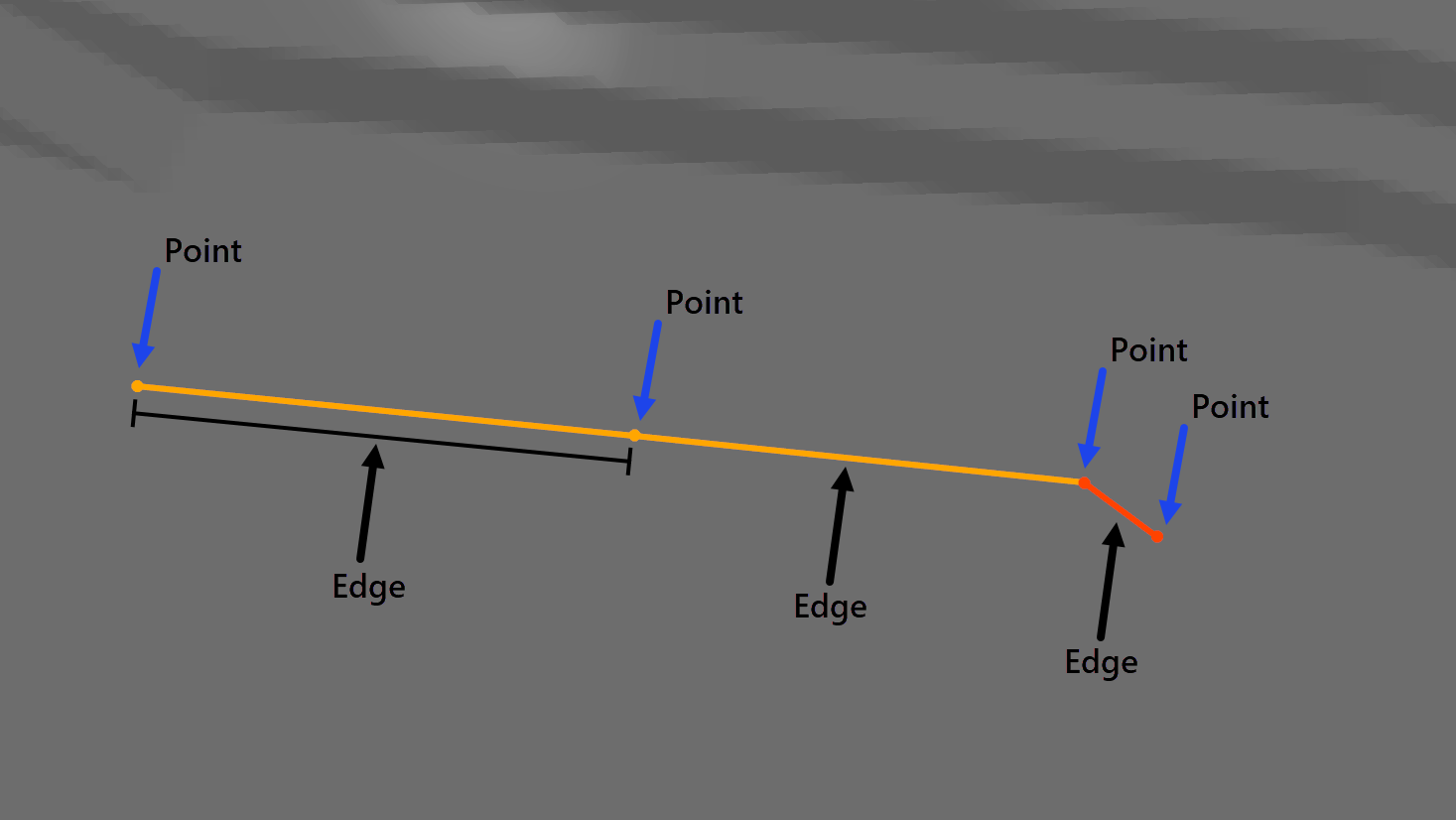
➡ Points represent specific locations along the haul network and act as connection hubs for Edges.
➡ Edges are the segments that link two points, defining the actual routes vehicles will travel. Together, points and edges form the foundation of the road network.
2. Intersections, Arcs, Lanes & Speed Signs
➡ Intersections occurs where three or more edges meet. Manual intersections can also be created where two edges intersect.
➡ Arcs are the connected series of edges between intersections.
➡ Lanes are generated along arcs to define the specific paths vehicles will travel.
➡ Speed Signs are applied to indiviudal lanes.
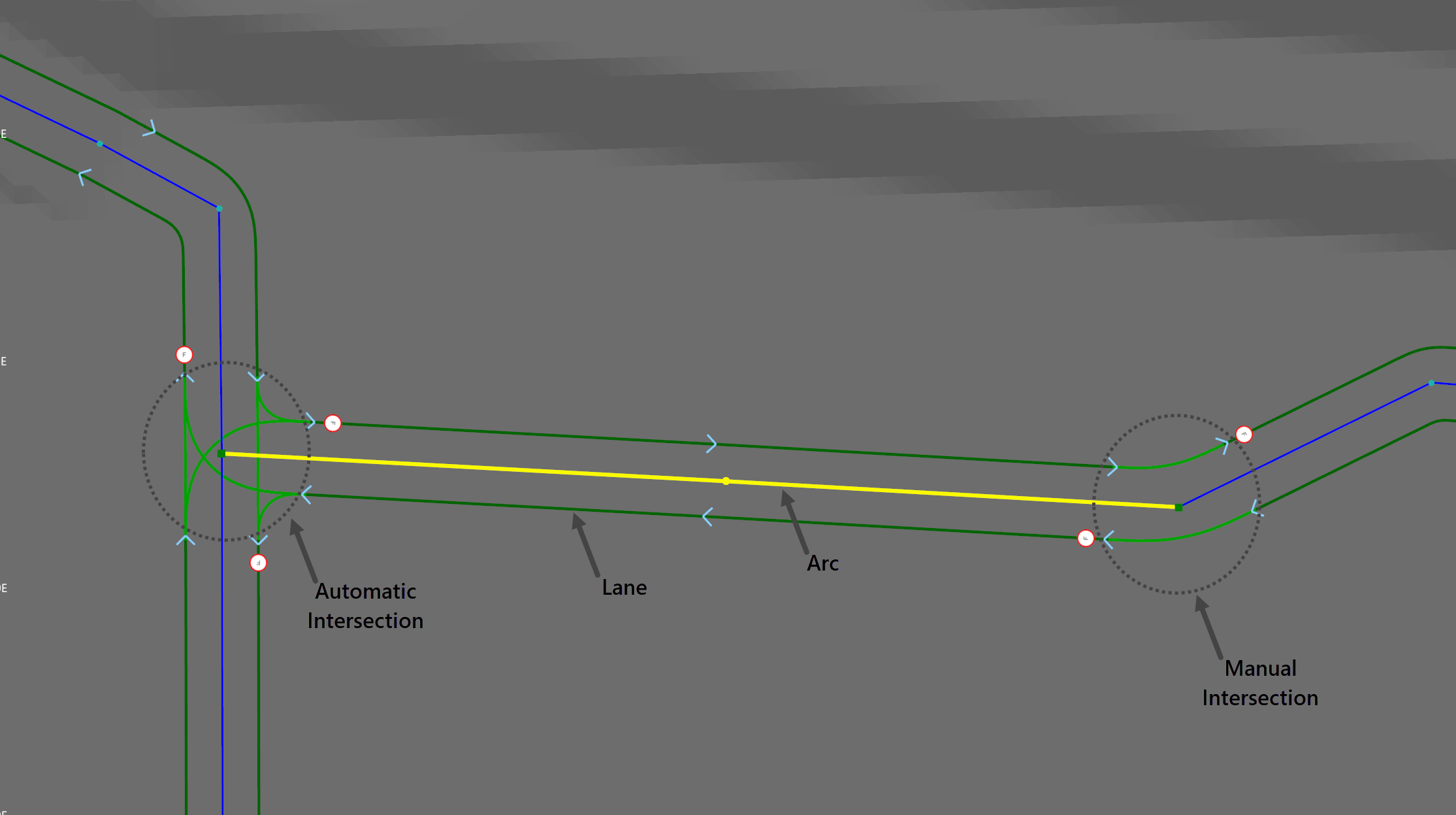
Understanding Arcs is a essential for efficient network design. Lane Types are applied to arcs, not individual edges.
For example, if a stretch of road is double-lane but has a single-lane section in the middle, a separate arc needs to be created for that section:
1️⃣ Insert a manual intersection at the start and end points of the single-lane section.
2️⃣ This creates a dedicated arc where the single-lane type can be specifically applied.
3. Terminals & Prefabs
Terminals
Terminals are designated points in the network where source vehicles perform specific activities. Terminals are automatically created at Source and Destination points, however, they need to manually be placed for Fixed Items. Each terminal has configurable properties that can be adjusted to suit the specific requirements of the operation.
Terminal Properties
| Property | Description |
|---|---|
| Bearing | Sets the orientation of a terminal, determining the direction the truck faces when performing a prefab manoeuvre at that terminal. |
| Speed Sign | Sets the speed sign which controls the speed limit for the terminal, dictating the maximum allowable speed at which trucks can navigate through that termina |
| Prefab | Sets predefined manoeuvre that trucks will follow when using the terminal. The different type of Prefabs are covered below. |
| Terminal | Sets the Fixed Item Item represented by the Terminal, such as Bowser 1, Bowser 2, etc. Source and Destination Terminals can't be changed. |
All Terminals in the network must be connected to lanes to ensure proper truck routing. If a Terminal is not connected to the network, error messages will appear to indicate the issue

Prefabs
Each Terminal requires a Prefab to be specified. A Prefab defines the specific manoeuvre a truck must perform to position itself at the Terminal. Several different Prefabs are available, each with configurable properties that can be adjusted to meet the operational needs, allowing for customisation of how trucks interact with the Terminal.
Prefab Types
| Prefab | Manoeuvre | Properties |
|---|---|---|
| Forward Left | 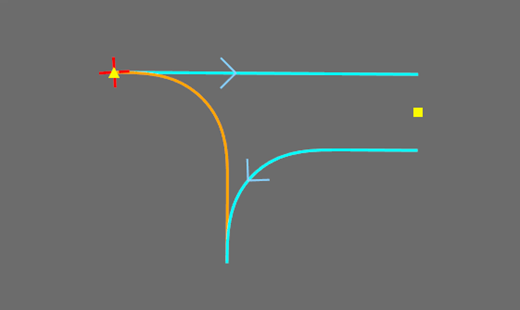 |
|
| Side Left Forward | 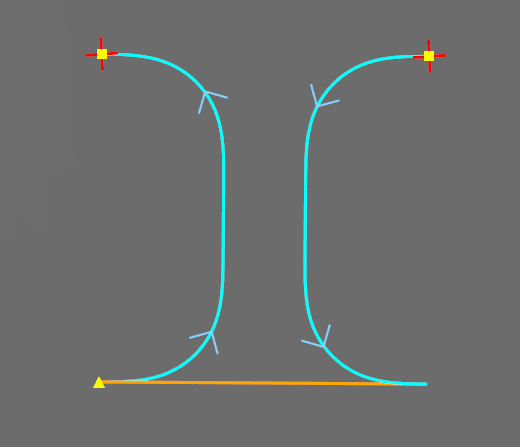 |
|
| Side Left Backward | 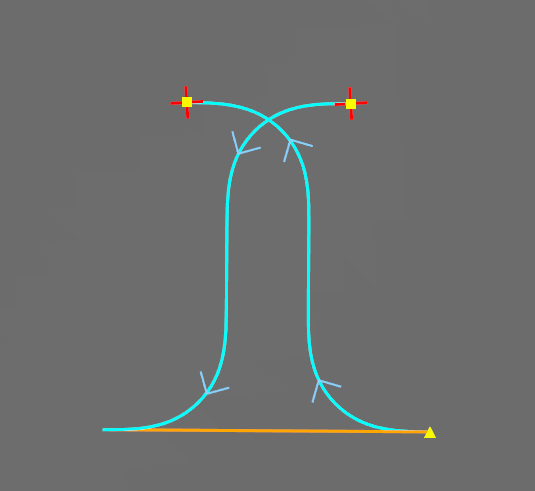 |
|
| Side Mid Right |  |
|
| Straight |  |
|
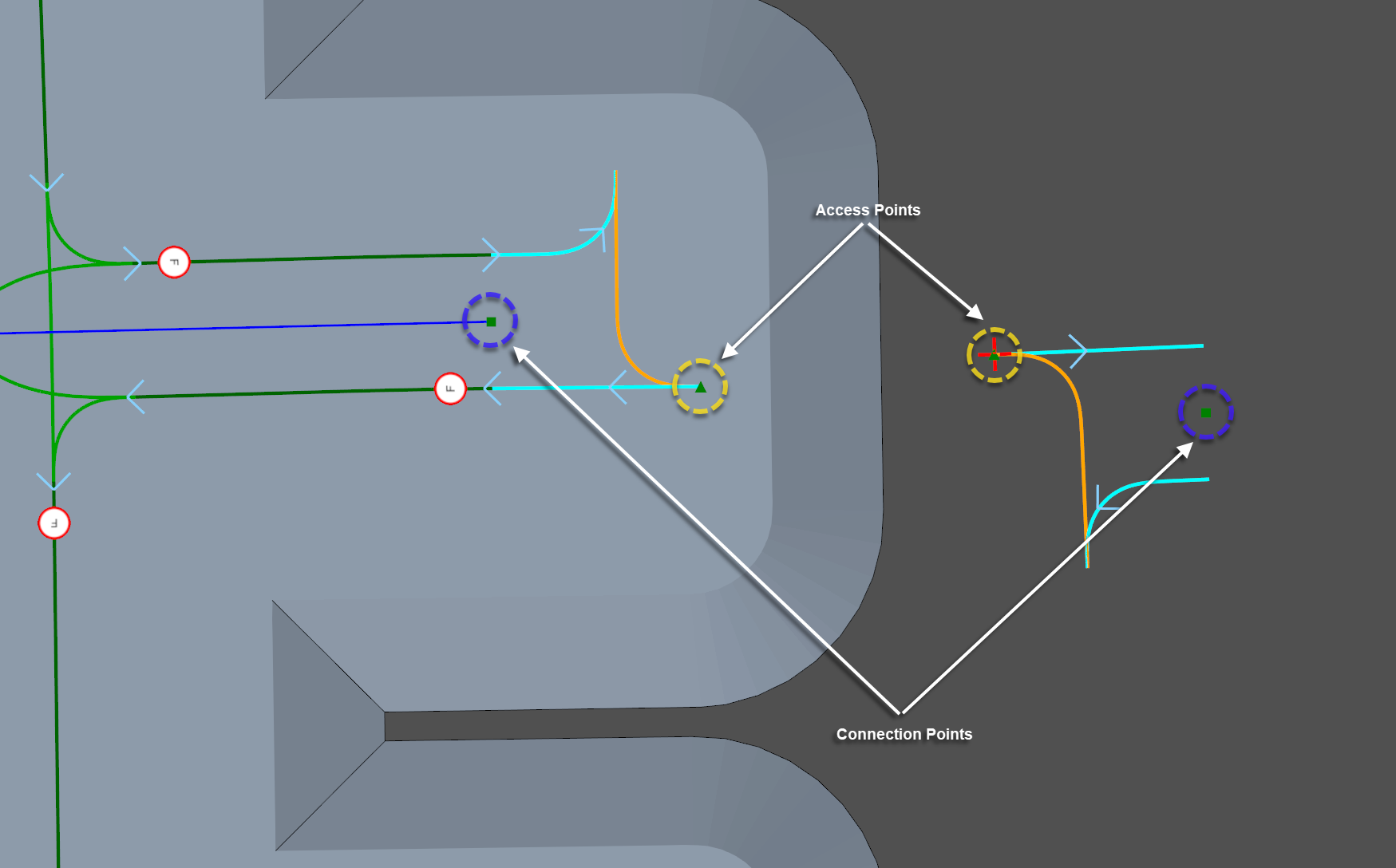
Each Prefab has a Connection Point and an Access Point.
Connection Point: Represented by a solid green box, is where the terminal links to the haul network.
Access Point: Represented by a solid green triangle, is where the truck stops to perform actions like loading or dumping.